
VIBE INSIGHTS · SQUARE · NOVEMBER 4, 2026
Is Your Square Store Holiday-Ready? Grab Our Free Checklist 🎁
Thanksgiving lands on November 26 this year, which leaves about four weeks between Black Friday and Christmas Eve. Here’s how to get your Square POS, online store and Google listing ready now, plus a free printable checklist to keep your whole team on track. 👇
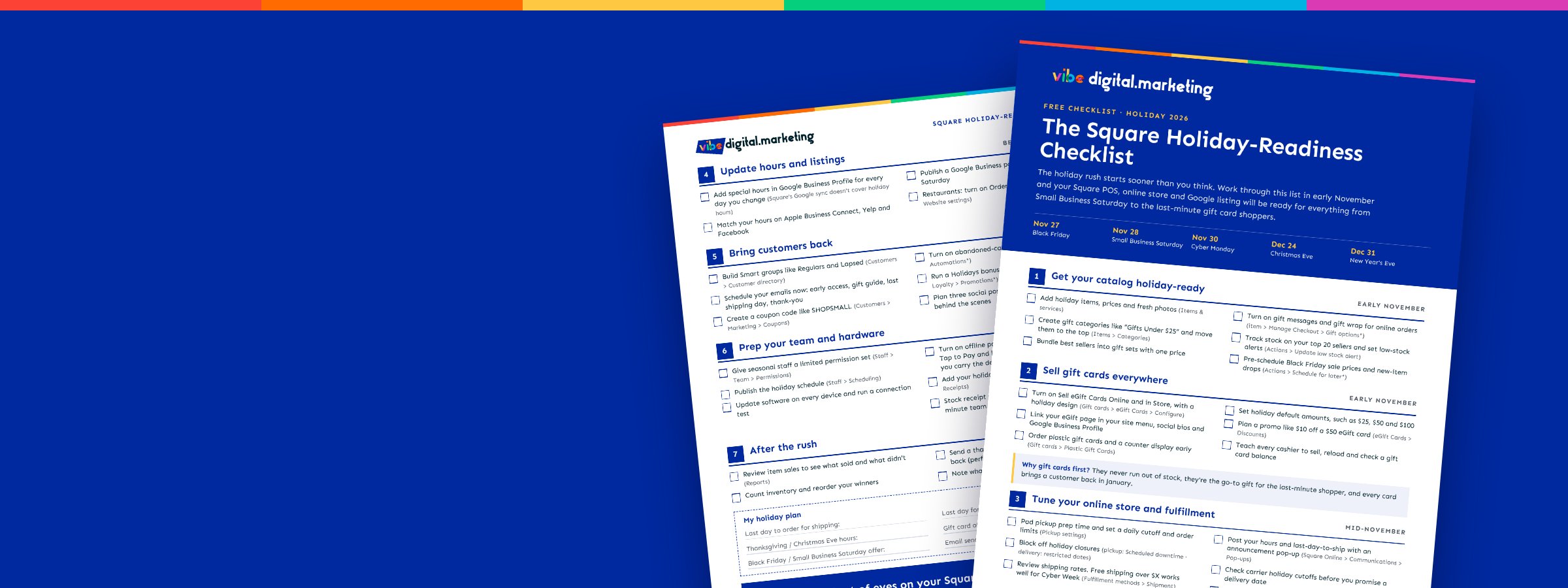
Less scrambling, more cha-ching. 🛍️
The Rush Is Closer Than It Looks
Every season we see the same story. A business that sells beautifully all year gets to Black Friday and finds the gift cards aren’t on the website, the holiday hours never made it to Google, and the best seller ran out Saturday morning. None of it is hard to fix. It just has to be fixed before the rush, not during it.
As a Square Partner and Square Online Certified agency, we set up and tune Square stores for retailers, restaurants and makers here in Denton and beyond. These are the five areas we check first. Want the full list? Jump to the free checklist.
WHERE TO START
Five Things to Get Right Before Black Friday

Step 1
Put Gift Cards Everywhere
Gift cards never go out of stock, and they’re the go-to for the last-minute shopper. In Square, turn on Sell eGift Cards Online and in Store, add a holiday design, and link your eGift page from your website menu, social bios and Google Business Profile. Want a holiday promo? Square’s eGift Card discounts can run an offer like $10 off a $50 eGift card.
Step 2
Get Your Catalog and Inventory in Shape
Refresh holiday items, prices and photos, then create gift categories like “Gifts Under $25” and move them to the top. Turn on stock tracking for your best sellers and set low-stock alerts so you reorder before the shelf is empty. On a paid Square plan you can also pre-schedule Black Friday sale prices and offer gift wrap and gift messages at online checkout.


Step 3
Make Online Ordering Easy
Square Online can handle pickup, local delivery and shipping. Pad your pickup prep time, block off holiday closures with Scheduled downtime, and consider free shipping over a set amount for Cyber Week. Square Online doesn’t have an announcement bar, so use a Make an announcement pop-up for hours and ship-by dates. Then place a test order on your phone, start to finish.
Step 4
Tell Google (and Everyone Else) Your Holiday Hours
Shoppers check Google before they get in the car. Square can sync your regular hours to Google Business Profile, but holiday hours are safest set right in Google under Special hours. Match them on Apple Business Connect, Yelp and Facebook, and publish a Google Business post for Small Business Saturday.


Step 5
Bring Customers Back After the Holidays
The holidays fill your customer directory with new names. Build Smart groups like Regulars and Lapsed, schedule your emails now (early access, gift guide, last shipping day, thank-you) and plan a January reason to come back, especially for everyone holding the gift cards you just sold. On Square Plus or Premium, a Loyalty Holidays promotion and abandoned-cart emails add easy wins.
FREE DOWNLOAD
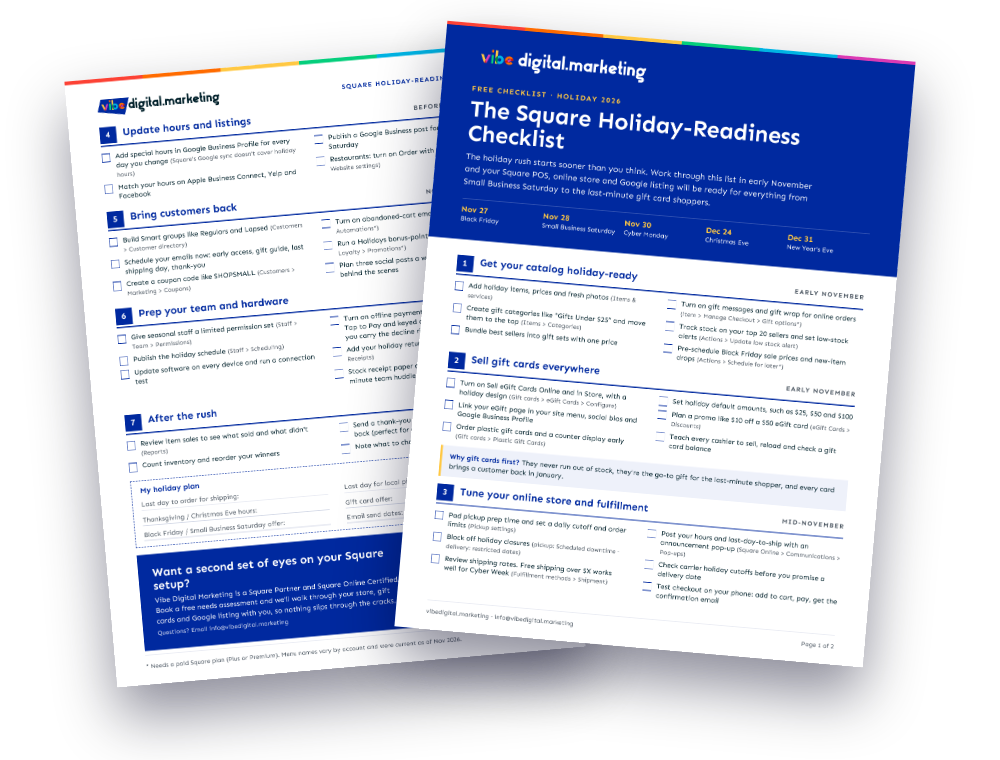
Get the Square Holiday-Readiness Checklist 🎁
Two printable pages, 38 checkboxes and seven sections that take you from early November through January, plus a fill-in plan for your hours, cutoffs and offers. Pop in your email and it’s yours.
Your checklist is ready to download.
Download the Checklist (PDF)VIBE TIPS
Quick Square Tips for a Smoother Season
Small setup moves that save big headaches:
💡 Square Tip
Set Up Offline Payments
Turn on offline payments and set a limit before the rush. Know the trade-off: gift cards, Tap to Pay and keyed cards won’t work offline, and you’re on the hook if a card declines later.
💡 Square Tip
Schedule Your Discounts
Build Black Friday and Small Business Saturday discounts ahead of time with a date range. Heads up: category-based automatic discounts don’t apply online, so pick individual items for your website.
💡 Square Tip
Pad Your Pickup Times
Holiday volume slows everything down. Add a few minutes to your pickup prep time and cap orders per pickup window so the counter never gets slammed.
💡 Square Tip
Give Seasonal Staff the Right Access
Add seasonal team members with a limited permission set, so they can ring up sales without seeing reports or issuing refunds.
💡 Square Tip
Test Your Own Checkout
Order something from your own site on your phone. If it’s confusing for you, it’s confusing for your shoppers.
💡 Square Tip
Keep a Spare Everything
Spare charger, extra receipt paper and a backup reader if you can. The little things are what stall a holiday line.
Make This Your Smoothest Season Yet
You don’t have to tackle everything at once. Start with gift cards and holiday hours. In our experience, those are the two places holiday sales slip through the cracks most often.
Want a hand? We’ll review your Square setup with you and take care of the fixes, from eGift Cards to your Google Business Profile. Let’s get you holiday-ready! 🎄
Let’s Make This a Cha-Ching Season! 🎄
Book a free needs assessment and we’ll walk through your Square store, gift cards and Google listing together.